

Many agents.
Many worktrees.
One window.
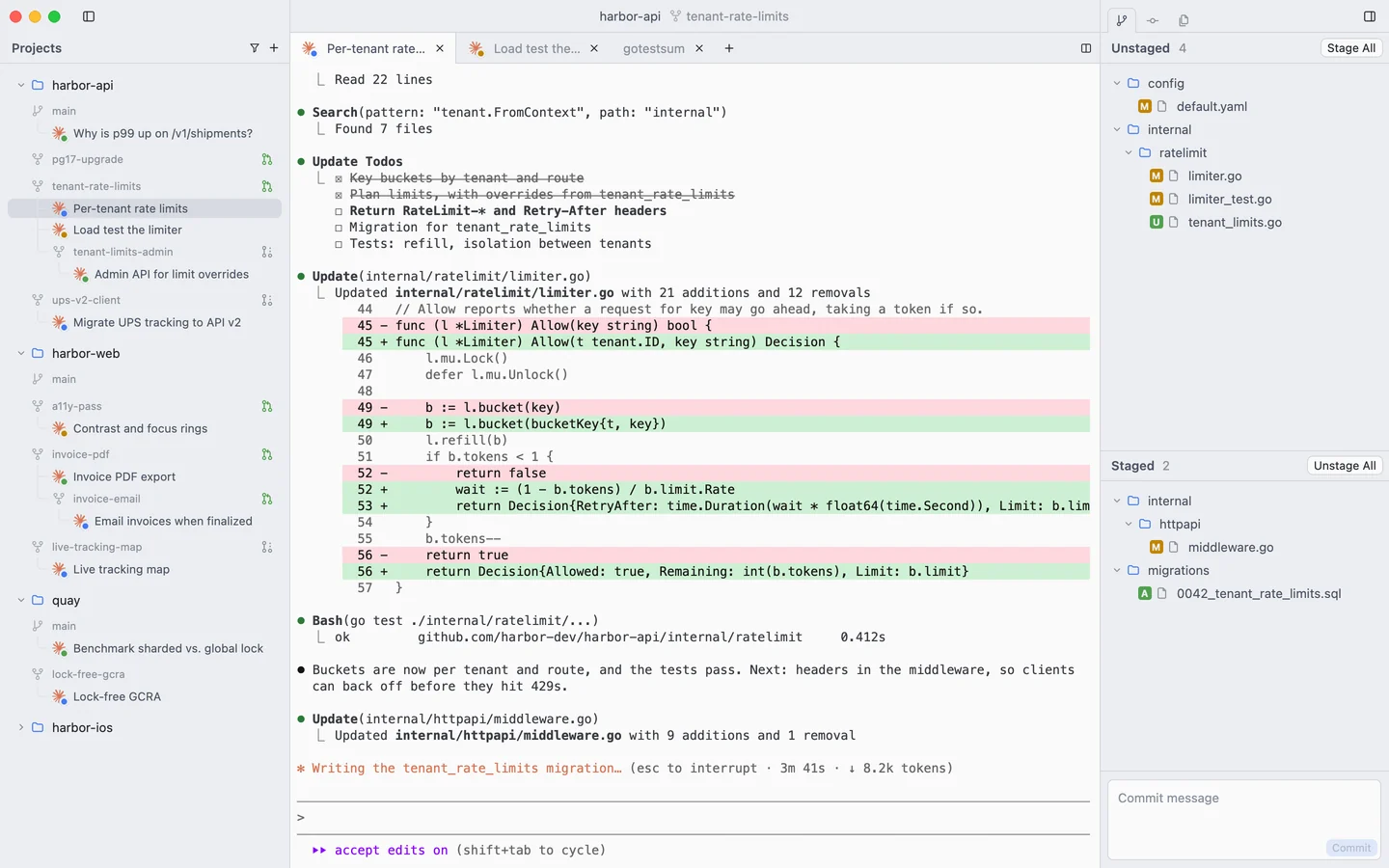
Commit is a native Mac app for running Claude Code across projects and git worktrees. A real terminal for every agent. Line-by-line review for every change.
Agents
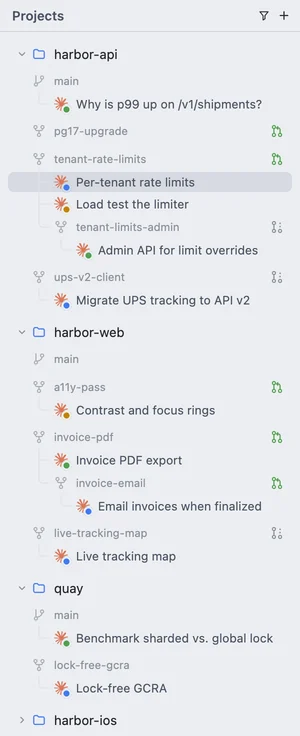
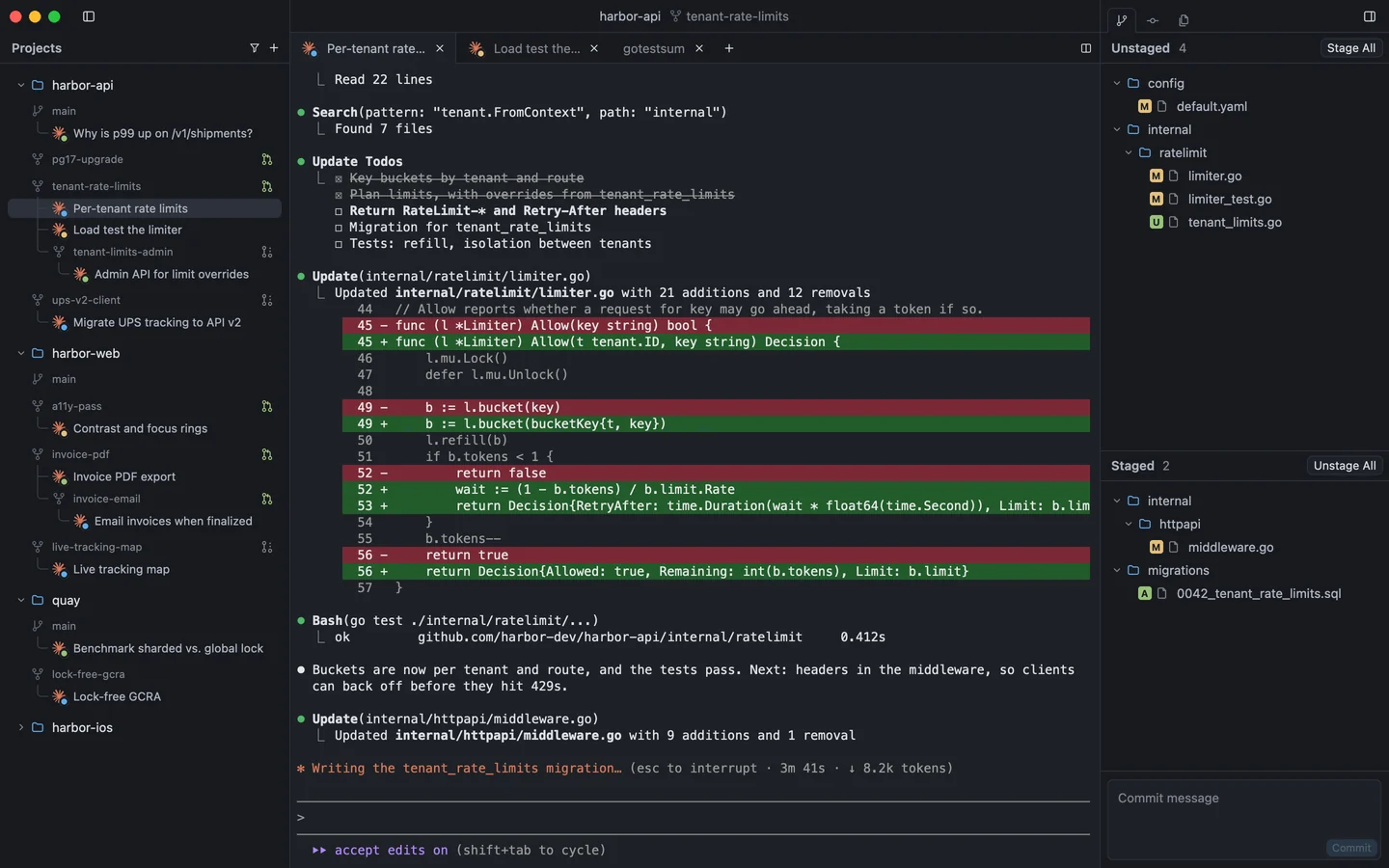
Every session, at a glance.
Sessions sit under the worktree they run in, named after what they're doing. The dot says the rest.
- Working
- Needs input
- Done
- Failed
Attention
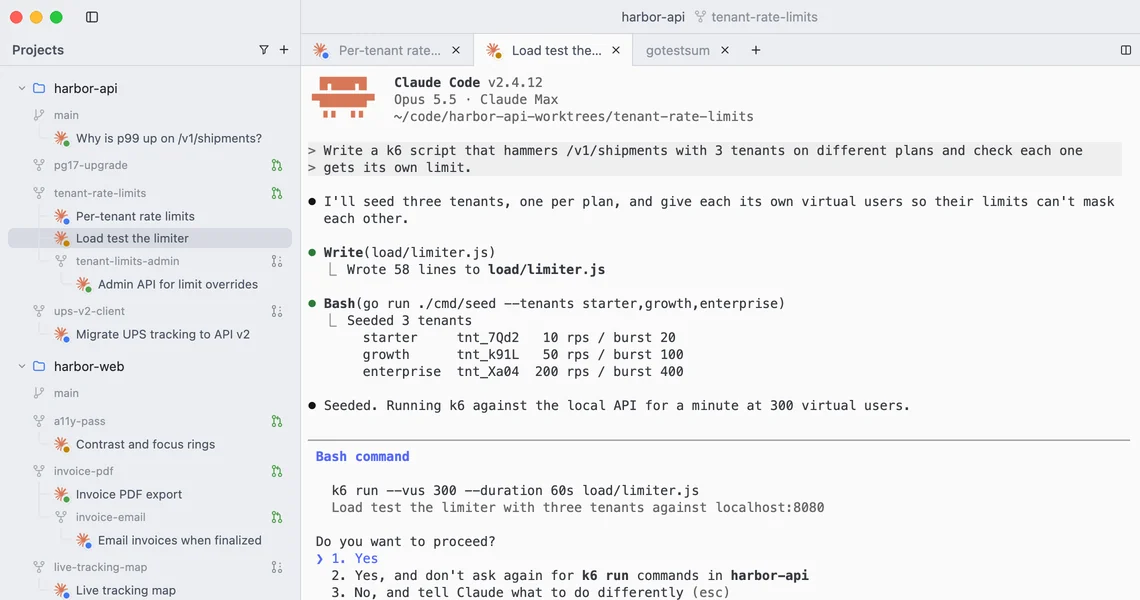
It tells you when it's stuck.
Permission prompts and questions turn the dot orange, on the tab and in the sidebar. The other agents keep working.
Worktrees
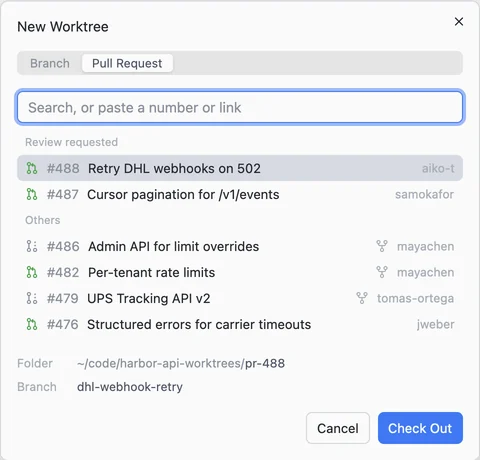
One task, one worktree.
Branch off, or check out a pull request, in a worktree of its own. Pull requests waiting on your review come first.
Stacked branches nest under the branch they build on, read from the pull request, git-town, Graphite or the reflog. Deleting a worktree takes its branch with it.
Review
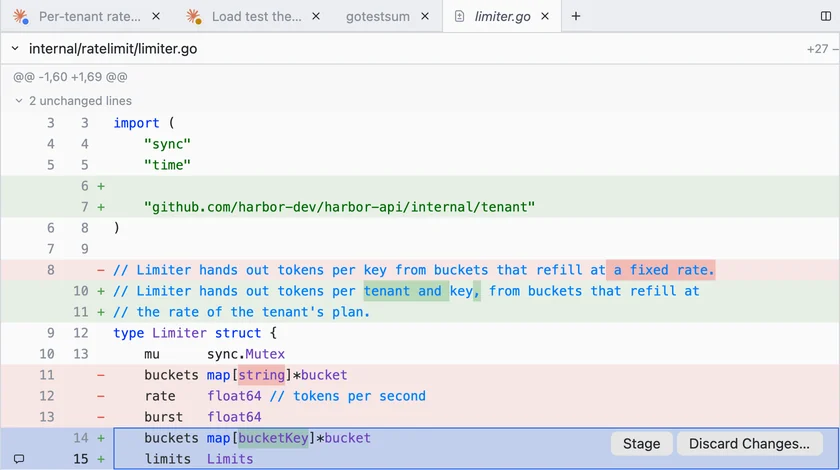
Stage what's right. Discard the rest.
Hover a block to stage or discard it. Select lines to take only those. Commit with ⌘↩.
Feedback
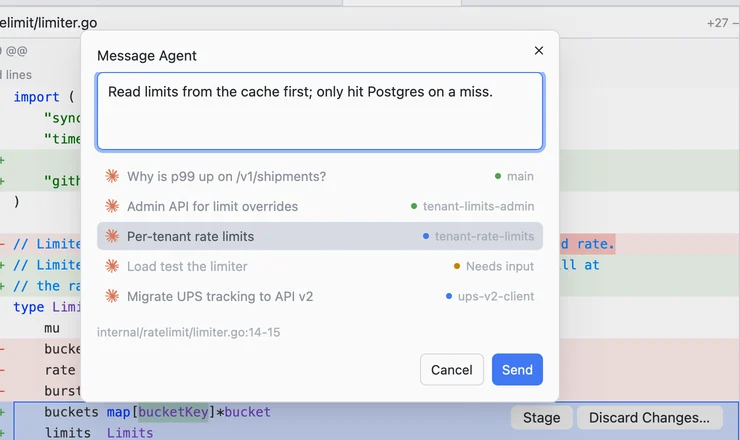
Point at a line. Tell the agent.
Select lines in a diff and send them to any running session, with the file and line numbers attached.
Terminal
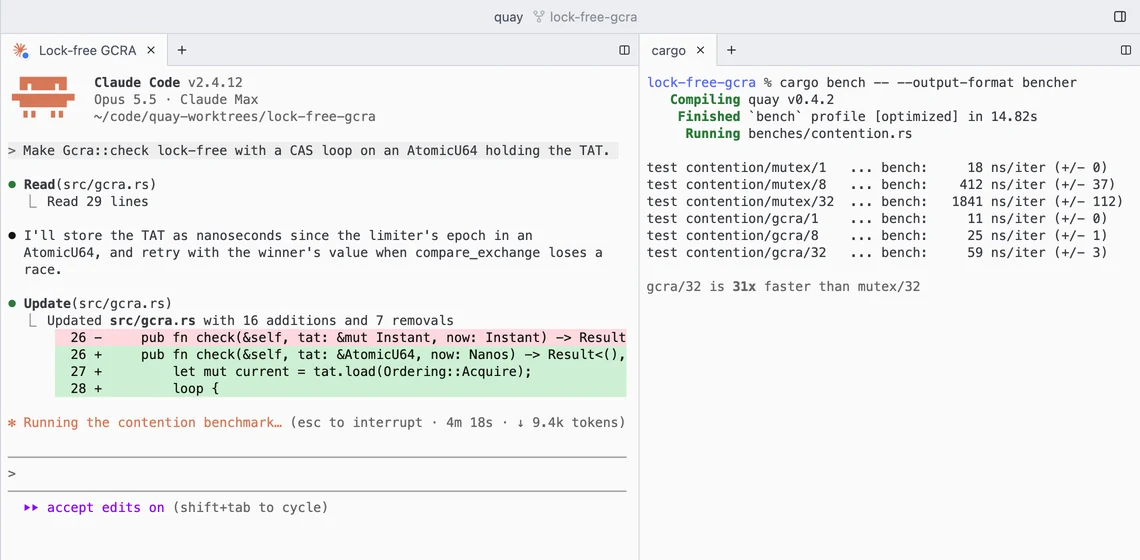
A real terminal, not a chat box.
Built on libghostty. Tabs and splits, ⌘-click on links and file paths. Claude Code sessions reopen in their tabs after a restart.
- Kitty keyboard protocol
- Synchronized output
- Split panes
- Mouse reporting
Navigation
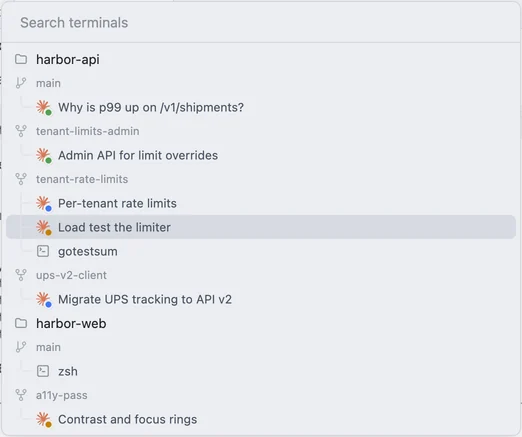
Everything is a keystroke away.
⌘/ jumps to any terminal, in any project. ⌘P finds any file in the worktree. Menus show their shortcuts.
History
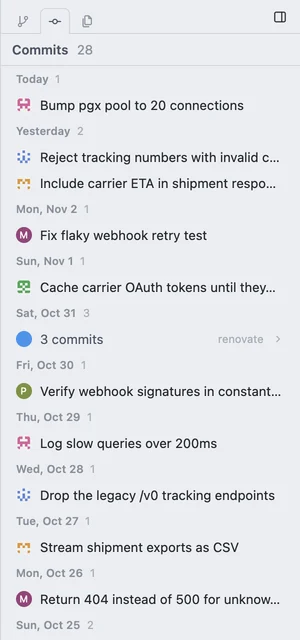
Know what's on the branch.
Commits since the branch it's stacked on, by day, with authors' avatars. A bot's runs fold into one line.
Themes
Light or dark. Or any Zed theme.
Drop a Zed theme into the themes folder and pick it from the View menu.
Details
Small things, done properly.
Native
Rust and GPUI, Zed's UI framework. A pane redraws only when it changes.
Plain git
Real worktrees and branches. Nothing to import, nothing hidden.
Your gh
Pull requests and avatars come through the GitHub CLI you're signed into.
An editor, too
Open files in tabs, with vim mode, for the fix that isn't worth a prompt.
Updates itself
Checks at launch and hourly. Restart when it suits you.
Signed
Developer ID signed and notarized by Apple.